API Authentication Methods Explained
APIs use different authentication methods to control access. Our directory contains 544 APIs with no authentication, 518 with API keys, and 140 using OAuth.
At a Glance
No Authentication (Free Access)
These APIs require no signup, no API key, and no special headers. Just send a request and get data back. They are the best starting point for beginners and quick prototyping.
Example: Cat Facts
curl https://catfact.ninja/fact
We called this endpoint ourselves — it answered in 220 ms with no key and no headers.
API Key Authentication
API keys are the most common authentication method. You register on the provider's website, get a key, and include it in your request headers or query parameters.
Example: URLScan.io
const url = "https://urlscan.io/about-api/";
// Replace headers or query params with the values required by this API.
const response = await fetch(url, {
  headers: {
  "X-API-Key": "YOUR_API_KEY"
  }
});
if (!response.ok) throw new Error(`Request failed: ${response.status}`);
const data = await response.json();
console.log(data); OAuth Authentication
OAuth is used when an API needs to access user data on behalf of the user. It involves a multi-step flow: redirect to provider, user grants permission, receive access token.
Example: Kitsu
import requests

url = "https://kitsu.io/api/edge/anime?filter[text]=Attack+on+Titan&page[limit]=5"
headers = {"Authorization": "Bearer YOUR_API_KEY"}

response = requests.get(url, headers=headers, timeout=30)
response.raise_for_status()
data = response.json()
print(data) Worked Example
Visual Walkthrough: Getting Your First API Key
Here is what the process actually looks like, using OpenWeatherMap (which has a free plan) as a real example. The annotated screenshots below walk you from the signup form to an authenticated API request.
Step 1: Create a free account
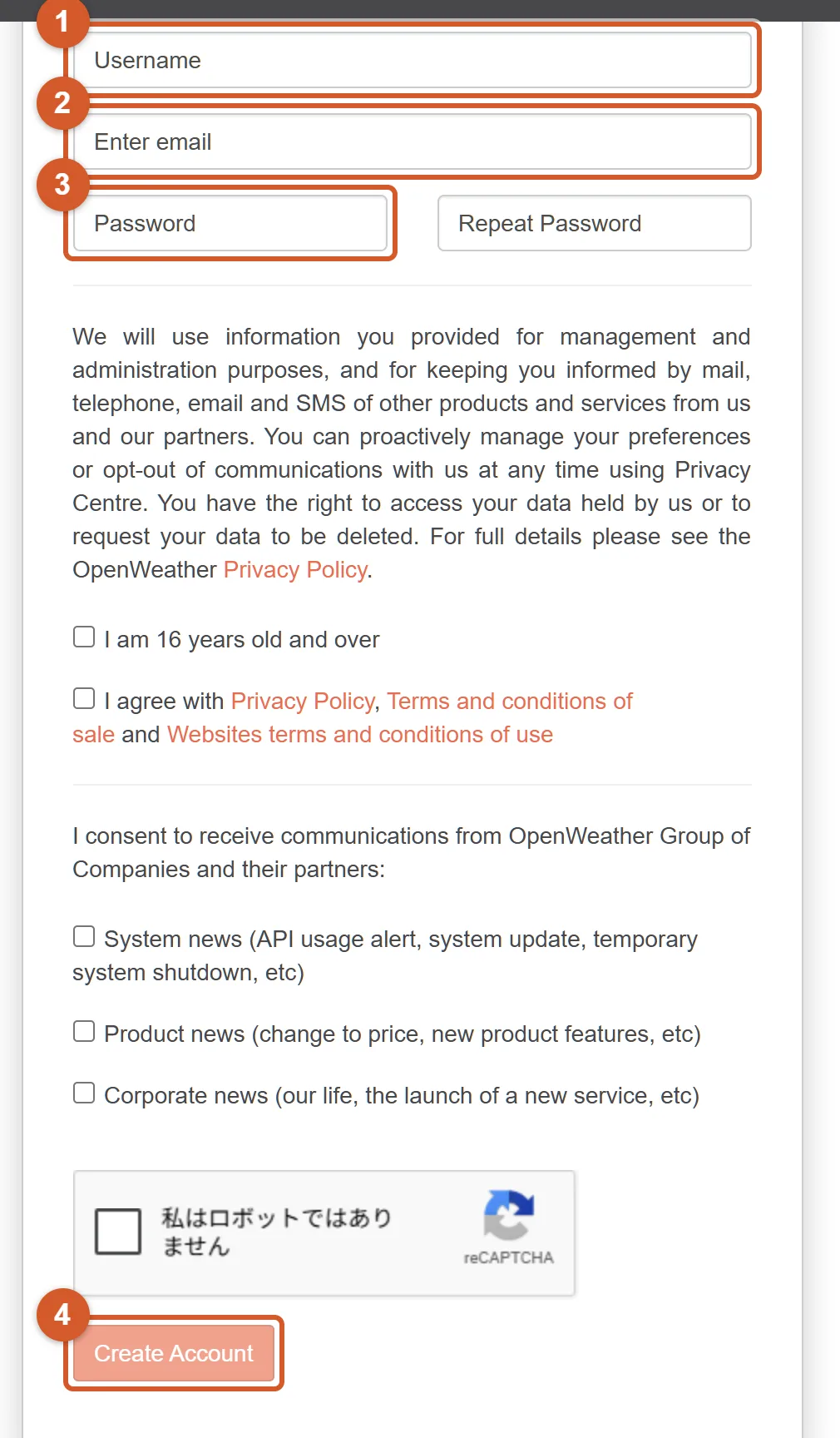
- 1 Choose a username — this is just your display name on the platform.
- 2 Enter your email address — you will need to verify it, so use a real inbox.
- 3 Set a password for your new account.
- 4 Tick the reCAPTCHA checkbox, then click Create Account. OpenWeatherMap will send you a confirmation email — click the link inside it to verify your email. Your API key is activated automatically, but activation can take up to two hours.
Step 2: Use the key in your request
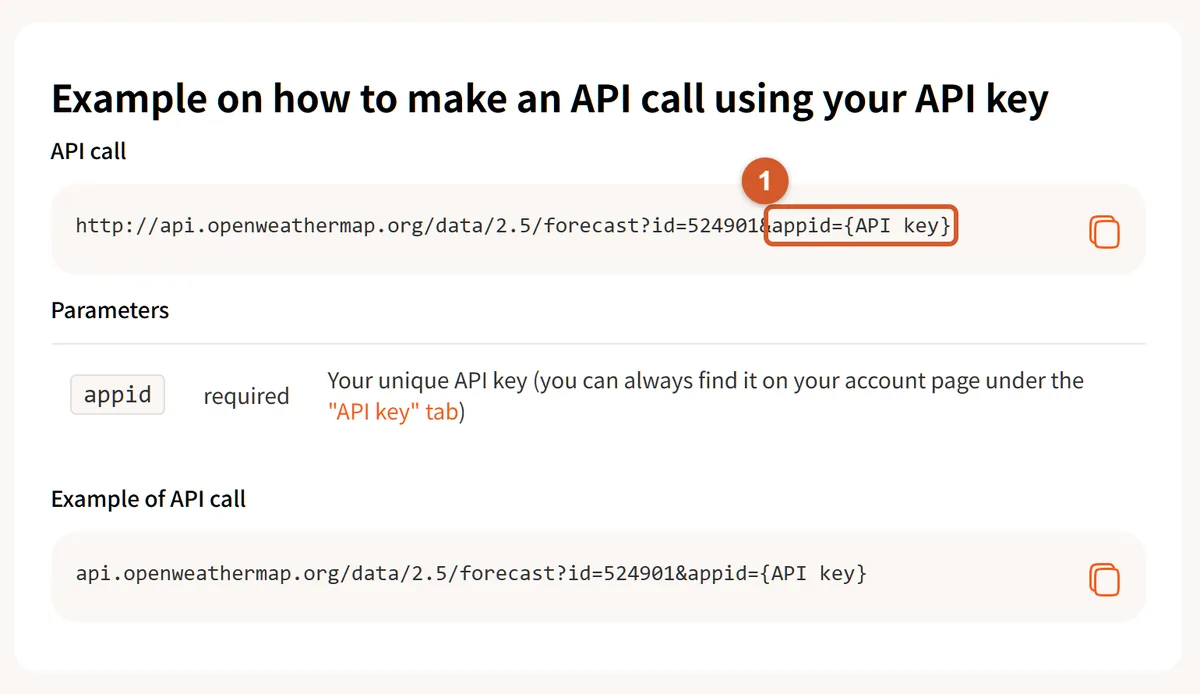
- 1 Once your key is issued, you pass it as the
appidquery parameter in the request URL — replace{API key}with your own key to authenticate the request. One practical rule from day one: never commit your key to a public repository — keep it in an environment variable instead.
Frequently Asked Questions
What is an API key?
An API key is a unique identifier (a long string of characters) that you include in your API requests to authenticate yourself. Most API providers give you a key after creating a free account.
API key vs OAuth: which should I use?
For simple server-to-server requests, API keys are easier. OAuth is needed when you need to act on behalf of a user (e.g., posting to their social media). If the API offers both, start with an API key.
Are no-auth APIs safe to use?
Yes. No-auth APIs are typically read-only public data APIs. They are the easiest to start with and great for learning. However, they may have stricter rate limits.
How do I get an API key?
Visit the API provider's website, create an account, and look for a "Developer" or "API" section in your dashboard. The key is usually generated instantly.
Where should I store my API key?
Never put API keys in client-side code or public repositories. Use environment variables (.env files) and access them from your server-side code.